 SoundDeck
 SoundDeck
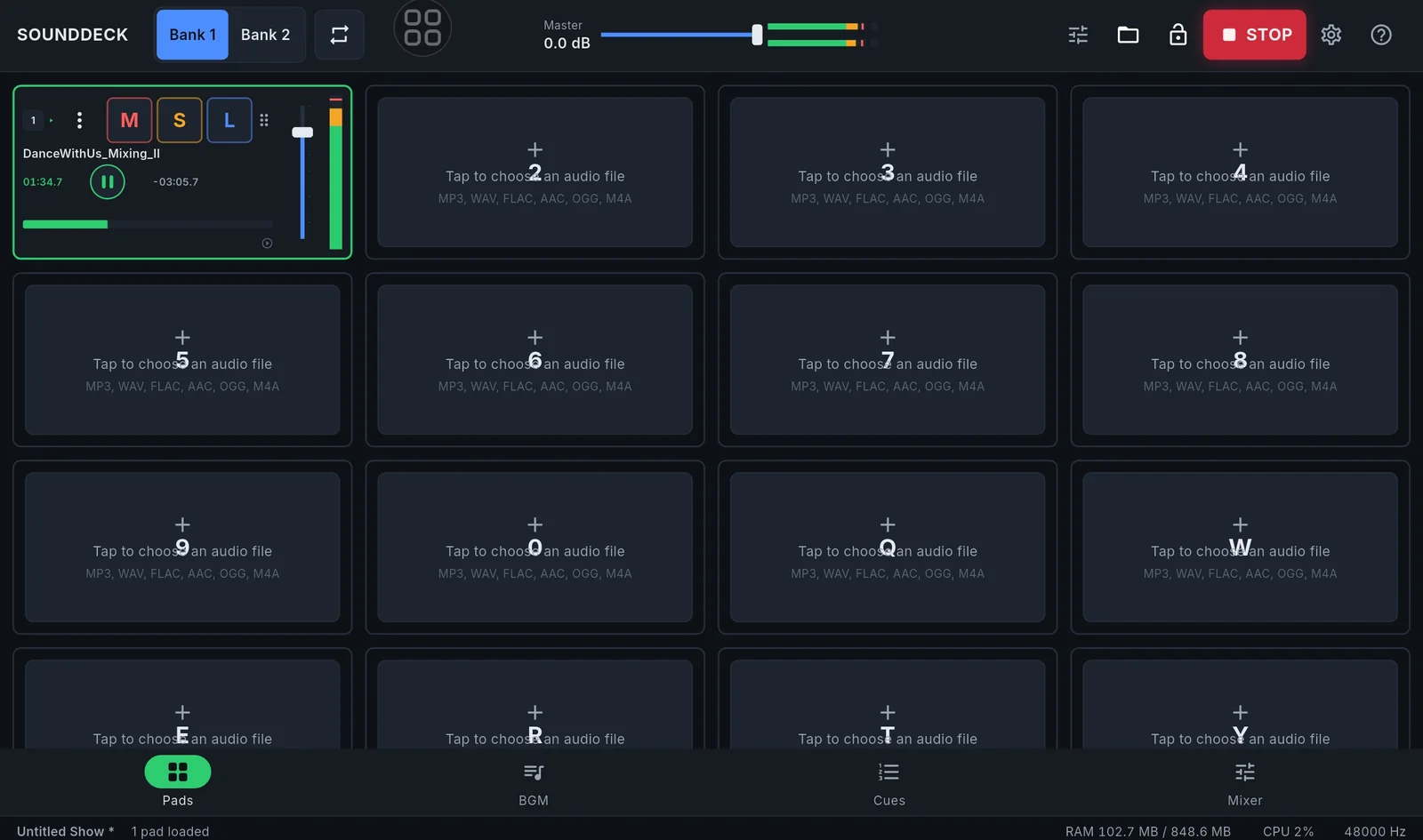
The whole show on one screen.
SoundDeck is a low-latency audio player for live shows: 32 pads, a BGM playlist with crossfade and ducking, a Cue List run with GO, a mixer console and a STOP that silences everything. For weddings, galas, conferences and theatre.
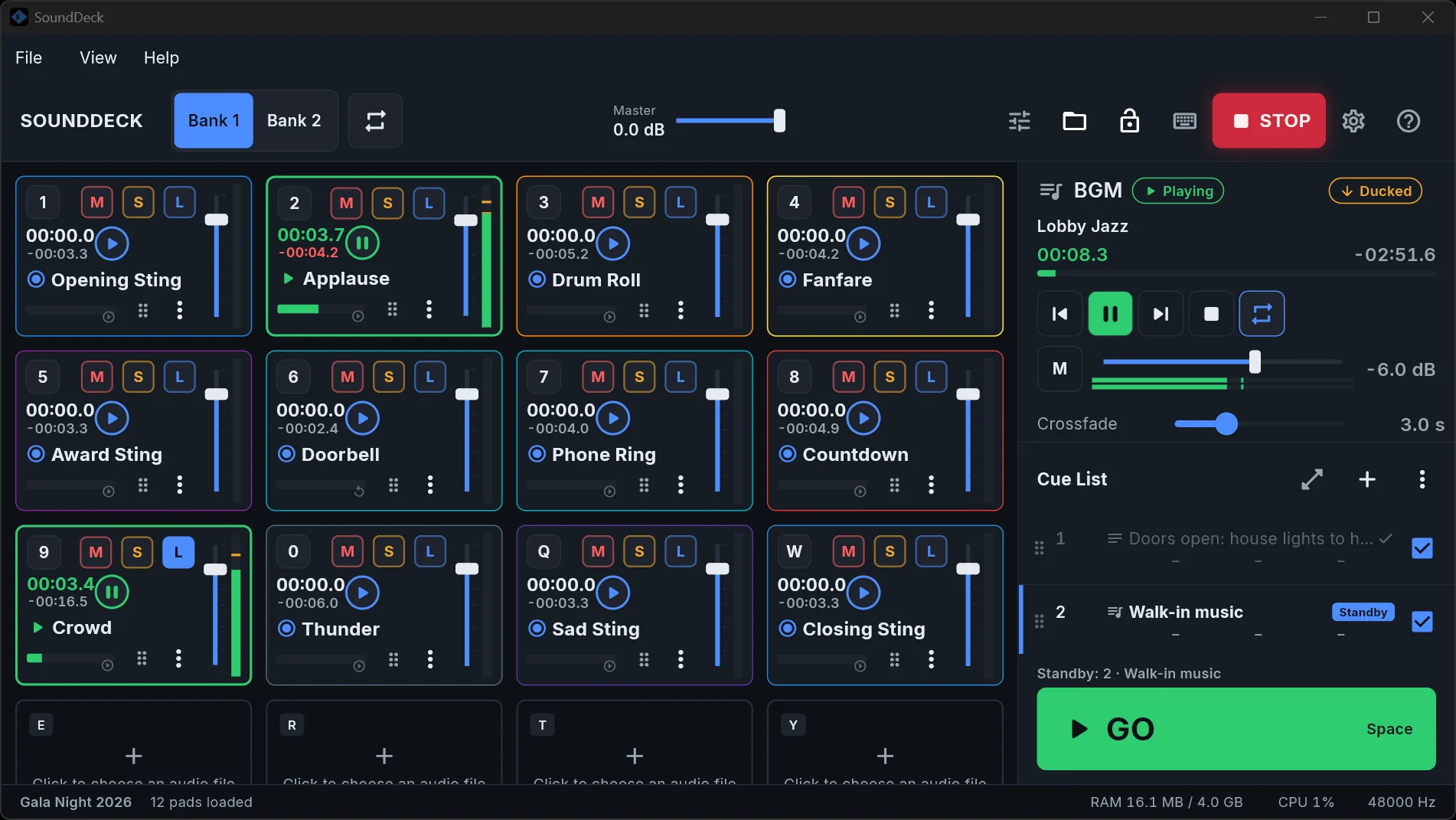
One screen, the whole show
Pads, background music and the cue list sit side by side, so nothing is more than one press away during a show.
32 pads, ready when you are
- Trigger modes: Play/Pause, Play/Restart, Play/Stop and Fade Stop.
- Mute, Solo, Loop and a red countdown in the last 10 seconds.
- Exclusive pads: one at a time, so a new song stops the old one.
- Drop a file onto a pad, or drag pads to swap them.
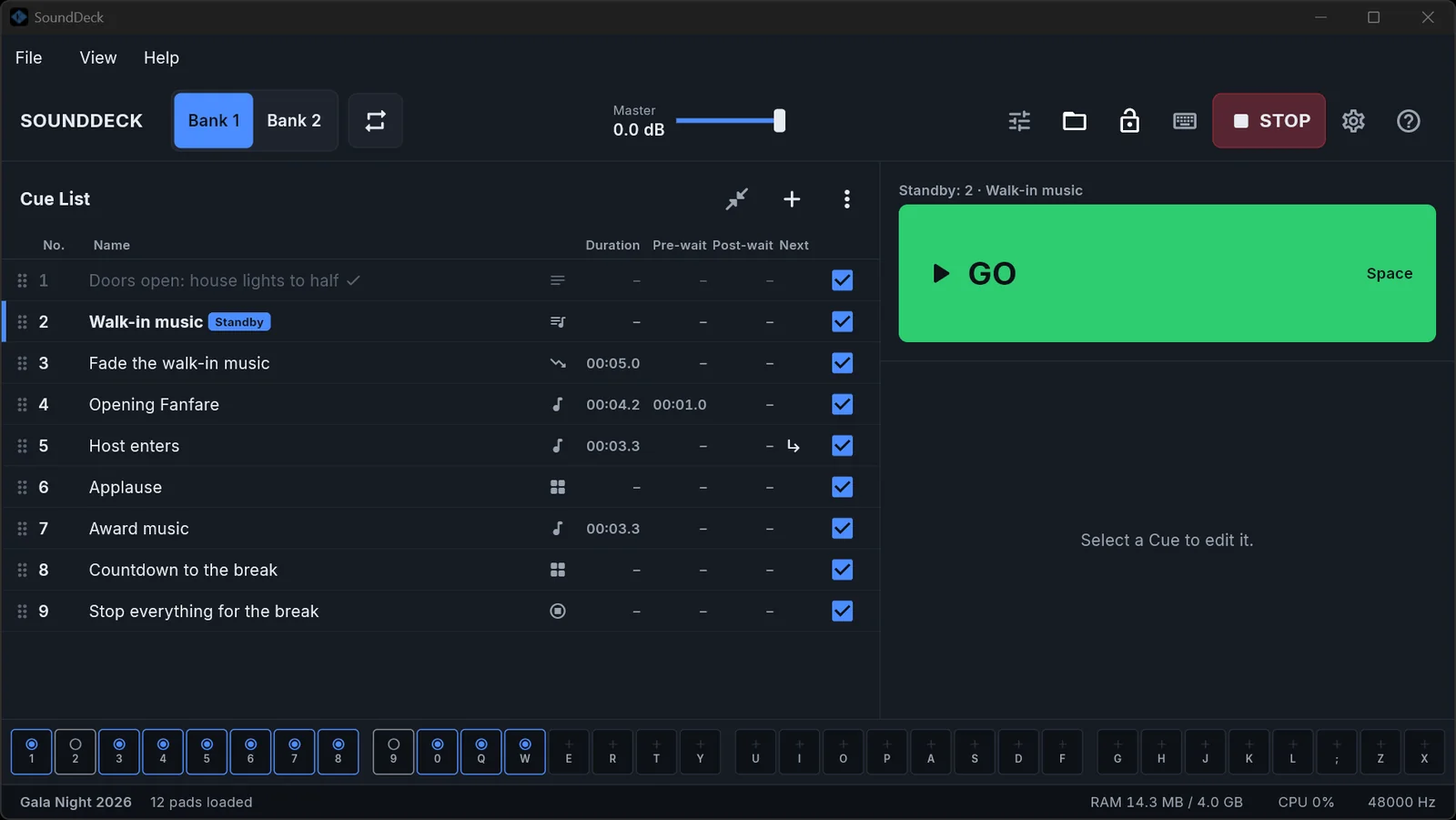
Press GO. The show runs.
- A theatre-style cue list with Standby and Playhead.
- Pre-wait, post-wait, auto-continue and auto-follow for timed sequences.
- Audio, Fade, Stop, Pad, BGM and Memo cues.
Music that gets out of the way
- A BGM playlist with crossfade or gapless playback, from files or a whole folder.
- MC TALK (F4): one button lowers everything while the MC speaks, then brings it back.
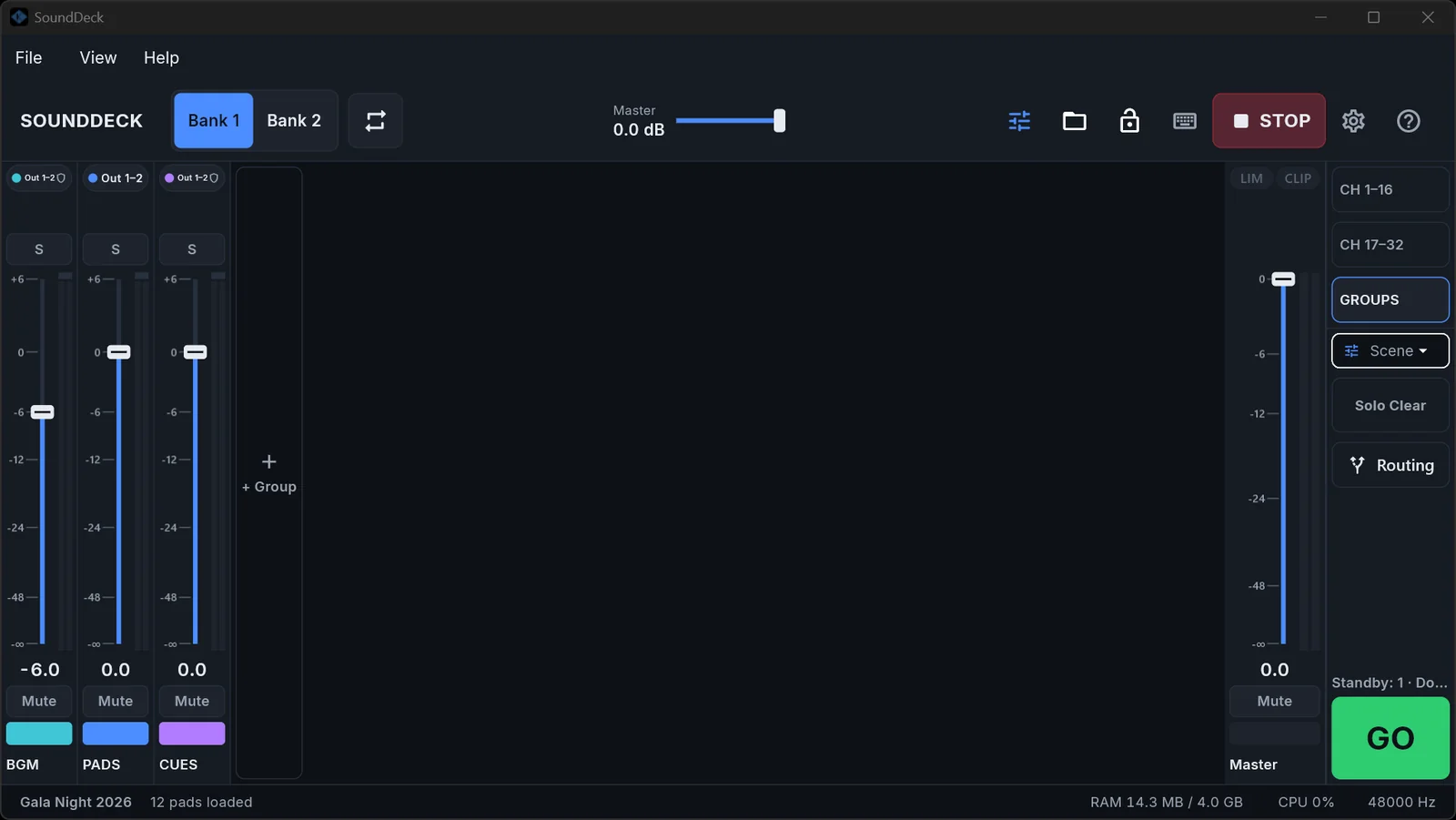
- A 32-channel mixer console with groups, solo, a master limiter and scenes.
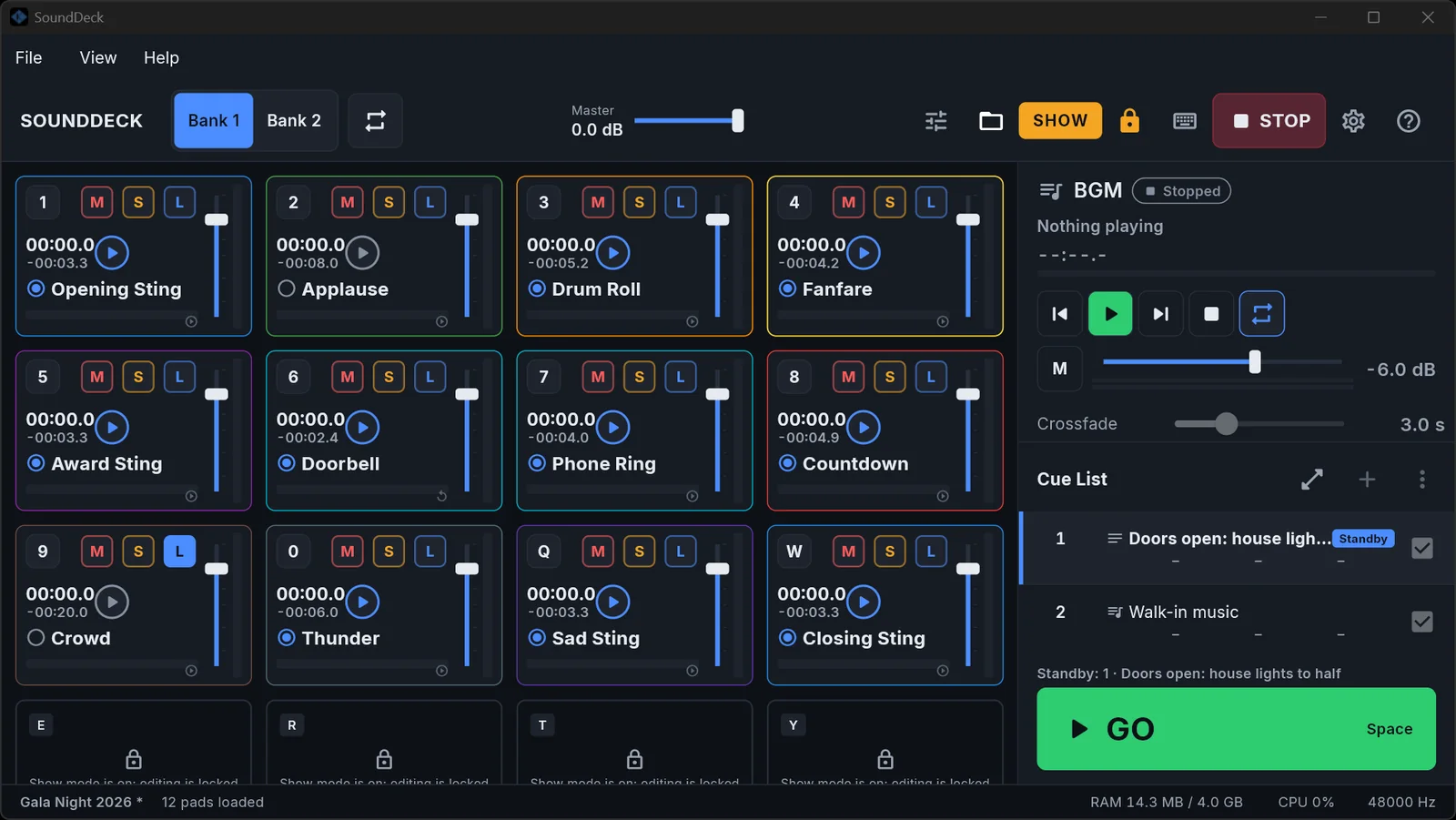
Safe while the lights are down
- Show Lock: editing is locked; playback, faders, GO and STOP always work.
- STOP (Esc) silences everything, even while you type.
- Autosave, crash recovery and relinking of missing files.
- Show Packages (.sdpkg) carry a show and all its audio to another computer.
The same show on a tablet
- Pads, BGM, Cues and Mixer in tabs, built for touch.
- Open a Show Package made on Windows and play it as it is.
- One Pro license can cover Windows and Android.
SoundDeck Pro
Free is a complete player for a small show and never expires. Pro removes the limits. Playback, STOP, GO, Talkover, faders and Show Lock are never limited in either edition.
| Feature | Free | Pro |
|---|---|---|
| Playback, STOP, GO, Talkover, faders, Show Lock, saving and Show Packages | Full | Full |
| Pads with a sound | 5 | All 32 |
| Mixer lines (channel strips) | 5 | All |
| Groups you create | 1 | Unlimited |
| Cues in the Cue List | 5 | Unlimited |
| BGM files in the playlist | 2 | Unlimited |
| Fade In/Out and Output per pad | Factory values | Editable |
| Expires | Never | Never |
A show that is over the Free limits opens and is saved intact: the extra items are dimmed with a lock and silent until you activate Pro. Nothing is deleted.
Pricing
Pay once, use it for good. A license covers one Windows computer and/or one Android device, and can be moved to another device 3 times a year.
Sales are not open yet. Please come back soon.
Free
Never expires
- 5 pads, 5 Mixer lines, 1 Group
- 5 cues, 2 BGM files
- Full playback, STOP and GO
- Windows and Android
Windows
One-time payment
- One Windows computer
- All 32 pads and the full mixer
- Unlimited cues and BGM
- Fade and Output per pad
- Every 1.x update
Android
One-time payment
- One Android device
- All 32 pads and the full mixer
- Unlimited cues and BGM
- Fade and Output per pad
- Every 1.x update
Windows + Android
One-time payment
- One Windows computer and one Android device
- All 32 pads and the full mixer
- Unlimited cues and BGM
- Fade and Output per pad
- Every 1.x update
You pay by bank transfer with a QR code (VietQR). The license key appears on the page and is also e-mailed to you.
From buying to playing
- Pick a package and type your email
The license key is sent to this address. - Transfer with the QR code
Scan it with your banking app. The order page updates by itself when the money arrives, usually within a minute. - Get your license key
It shows on the page and is in the email. Lost it? Use the "Recover key" page. - Activate in SoundDeck
Settings → License, paste the key, press Activate. It needs the internet once, for a few seconds.
Show computer with no internet? Use "Activate without internet": scan a QR code with a phone, download the license file and carry it over.
Requirements
| Windows | Windows 10/11, 64-bit |
|---|---|
| Android | Android 8.0 or later |
| Audio | WASAPI Shared/Exclusive, multi-channel audio interfaces |
| Files | MP3, WAV, FLAC, AAC, OGG, M4A |
| Control | Hotkeys, MIDI controllers, page-turner pedals |
| Languages | English, Tiếng Việt |
Questions people ask
Do I need the internet during a show?
No. After you activate, the license is checked on the device, offline. The app only contacts the server to activate, to move a device and now and then (at most every 7 days) when it is online.
I bought Windows. Can I add Android later?
Yes. Buy the add-on for the same license key inside SoundDeck (the "Buy add-on" button) or ask support.
What if I change computer?
Deactivate on the old one in Settings → License, or activate on the new one and choose to move. You can move 3 times in a rolling year per platform.
Can I get a refund?
Yes, within 14 days of purchase. See the Refunds page.
I lost my key.
Open the "Recover key" page and enter the email you bought with.
Is Free really free forever?
Yes. Free never expires and has no ads. It only limits how many pads, cues and BGM files you can add.
Is there a macOS version?
Not yet. macOS is being prepared. Windows 10/11 and Android 8+ are available.
Does the license include future updates?
Every 1.x release. A future 2.0 may need a separate upgrade; your license keeps running 1.x.
Still have a question?
Write to us before you buy. We answer in English or Vietnamese.